Cables
141 PRODUCTS
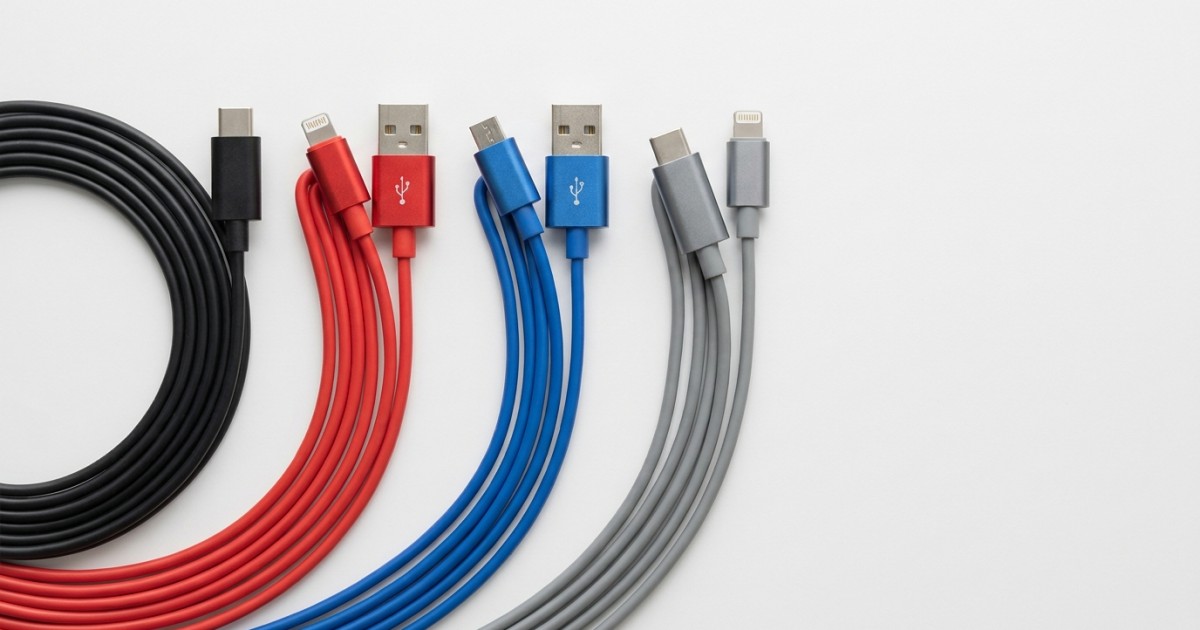
Looking for high-quality cables that meet your expectations and withstand daily use? In our range, you'll find a wide selection of cables for various devices – from USB-C and microUSB to HDMI and Lightning. Whether you need fast charging, data transfer, or a monitor connection, you'll find it in our store. We offer cables in different lengths, colors, and materials, suitable for home, office, and travel. All cables are tested to ensure reliable performance and long life.
Products
Tech-Protect UltraBoost DNA USB-C / USB-C PD 60W Charging Cable - Gray / 0.5m
Tech-Protect UltraBoost DNA USB-C / USB-C PD 60W Charging Cable - Gray / 0.25m
Dudao L9C USB-C / USB-C PD 65W Charging Cable - White / 2m
Tactical Fat Man Cable USB-A/USB-C - 1m - Yellow
Dudao L9C USB-C / USB-C PD 65W Charging Cable - White / 1m
Dudao L4C USB-C / USB-C 30W Charging Cable - White / 2m
Tactical Fat Man Cable USB-A/USB-C - 1m - Red
USB charging cable 3 in 1 with magnetic terminals - Gold
USB charging cable 3 in 1 with magnetic terminals - Red
USB charging cable 3 in 1 with magnetic ends - Black
Tactical Aramid extra strong Cable USB-C/Lightning MFI - 0.3m - Gray
Tactical Aramid extra strong Cable USB-C/USB-C 100W 20V/5A - 2m - Gray
Tactical Aramid extra strong Cable USB-C/USB-C 100W 20V/5A - 0.3m - Gray
Tactical Smooth Thread Cable USB-C/Lightning - 1m - White
Joyroom Multi-Color Series A14 USB-A/USB-C charging cable - Black / 1.2m
Baseus Cafule USB - A to USB - C cable QC 3.0, 3A, 1 m – Red / Black
HOCO connecting cable 3.5mm to 3.5mm - 1m - Black / Yellow
Joyroom Surpass Series A11 USB-C/Lightning 20W Charging Cable - Black / 0.25m
Joyroom Multi-Color Series S-A34 USB-A / Lightning Charging Cable - Green / 1m
Cable organizer bunny - Green
Buying advice
Cables
Cables are an essential part of everyday electronics. A properly chosen cable can significantly affect charging speed, data transfer stability, and overall connection reliability. In our range, you'll find cables for smartphones, tablets, laptops, monitors, and other devices that meet modern standards. When choosing, it's important to consider not only the connector type but also the specific technical parameters that influence real-world performance.
How to choose the right cable for your use
When selecting a cable, focus on a few key factors. The first is the connector type – USB-A, USB-C, microUSB, Lightning, or HDMI. Each device requires a different type, so check compatibility. The second factor is cable length. Short cables (0.5 m) are ideal for travel, as they easily fit in a pocket or bag. Medium lengths (1–2 m) are versatile for everyday use at home or in the office. Long cables (3 m and more) are great for charging while sleeping or working at a desk where you need freedom of movement.
Charging and data transfer speed
Cables supporting Quick Charge (QC) or Power Delivery (PD) enable faster charging of compatible devices – for example, with USB-C PD laptops, you can achieve up to 100 W, enough to charge even a powerful ultrabook. For data transfer, check the USB version – USB 2.0 (480 Mb/s) is sufficient for regular files and documents, while USB 3.0 (5 Gb/s) and USB 3.1 (10 Gb/s) can handle large videos, high-resolution photos, or backing up external drives. HDMI cables, on the other hand, determine image resolution – for 4K at 60 Hz, go for HDMI 2.0; for 8K or 4K at 120 Hz, choose HDMI 2.1, which also supports dynamic HDR and eARC for high-quality audio.
Quality and materials for long life
High-quality cables feature a durable construction that withstands daily bending and pulling. Braided textile sheathing (e.g., nylon) significantly increases lifespan and prevents tangling – ideal for cables you carry with you. Connectors made of aluminum or with gold-plated contacts improve conductivity and corrosion resistance, which is important for frequent plugging and unplugging. For charging cables, the wire gauge is also crucial – thicker wires (e.g., AWG 24 for power and AWG 28 for data) minimize energy loss and heating, especially important at high currents (3 A and above). In our range, you'll find cables from trusted manufacturers that meet safety standards and undergo bend and pull tests.
Tips and inspiration for everyday use
If you travel often, consider a 1-meter cable with a practical Velcro strap for storage – this prevents tangling in your luggage. For home use, go for a 2-meter cable that provides enough freedom when charging on the couch or in bed. When charging multiple devices at once, you'll appreciate multi-connector cables (e.g., 3-in-1 with USB-C, microUSB, and Lightning), which eliminate the need to carry several cables. Don't forget about color options – black, white, gray, or pink – that match your style and devices. For gamers and professionals, we recommend HDMI cables supporting 4K and high refresh rates, ensuring smooth, lag-free images. Explore our selection and choose a cable that will serve you for years to come.

CATEGORY INFORMATION
Important safety notice for cables in accordance with Regulation (EU) 2023/988 on general product safety (GPSR)
This is a targeted safety notice for the correct and safe use of cables (power, USB/USB-C/Lightning, charging, data, audio, and video). As these are electrical and often high-power accessories with risks of overheating, short circuits, tripping, and choking, please follow the instructions below.
Basic safety and handling principles
- Keep out of reach of children and animals: There is a risk of strangulation, choking, and electric shock; the product is not a toy.
- Undamaged parts: Do not use cables with cracked insulation, bent connectors, loose pins, or signs of overheating.
- Water and moisture: Do not use with wet hands or in damp conditions; immediately disconnect wet cables and allow them to dry.
- Cable routing: Route away from walkways; prevent pinching by doors, under furniture legs, and sharp bends.
Proper and safe use
- Compatibility and performance: Use a cable matching the device’s power requirements (conductor cross-section, USB standard, length). For fast charging and video transmission, use certified cables according to the manufacturer’s specifications.
- Heat and coiling: Do not cover the cable with textiles or coil it tightly during charging; this impairs cooling and increases the risk of overheating.
- Connectors: Do not damage sockets and ports by force; when unplugging, pull the connector, not the cable.

- Magnetic ends: Keep magnetic adapters and rings away from payment cards and sensitive electronics; small parts pose a swallowing hazard.
- Extension and splitting: Do not overload splitters; connect high-power devices directly or according to the manufacturer’s instructions.
- In cars and on the road: Route cables away from controls and airbags; do not run over sharp edges.
Cleaning, maintenance, and storage
- Cleaning: Disconnect from power; wipe with a dry soft cloth. Do not use solvents or aggressive cleaners.
- Maintenance: Regularly check strain reliefs and tension at connectors; replace worn cables.
- Storage: Coil loosely without sharp bends; store in a dry, cool place away from direct sunlight.
Specific health warnings
- Overheating: Mild warmth is normal; if the cable is hot to the touch or smells, stop use immediately.
- Implants and magnets: Maintain a safe distance from implanted medical devices when using magnetic ends according to medical advice.

Disposal
- Safe disposal: Electrical cables must not be disposed of in household waste; hand them over to an electronic waste collection point. Before disposal, damage cables to prevent further use.
Incidents and contact
- In case of an incident (overheating, sparking, electric shock, tripping), stop use immediately and seek medical help if necessary. Keep the product and proof of purchase for complaint handling.